
Minnesota Court Calendars
District Court is Minnesota's trial court. It handles criminal, civil, family, probate, juvenile, and traffic cases. The filing county tells you which local court record applies. That county's District Court Administrator holds the file and answers case-specific requests. Know what you are reading. A Minnesota calendar is a hearing schedule. The Register of Actions is the case event record. Entries may show a hearing set, a notice filed, a continuance, or a hearing held. That links the docket to case history, though a register is not always a full daily calendar.
Minnesota Court Records Online (MCRO) runs a statewide Hearing Search for District Court matters. Public-access and remote-display limits still apply. Every county participates. But results can be thin because of case category, a protected name, an old or unavailable image, or the fields the search displays. Local court administration manages hearing logistics. Use the statewide calendar search to locate a Minnesota hearing. Then confirm the date, room, or appearance method with the county's current notice or court staff.
Inside Minnesota Hearing Search
MCRO Hearing Search finds scheduled District Court hearings and links each result to case details. You can search a person or business name. Court file number, judicial officer, or attorney name or bar number also work. The court date range can span one day or many. Case Category and Court Locations filters narrow a search. Choose statewide or any of the 87 county locations. Name matching offers exact, wildcard, and Sounds Like options. Wildcard and phonetic cannot be combined. The form is free and needs no login. The Minnesota MCRO Hearing Search form lays out the search controls and the county selector.
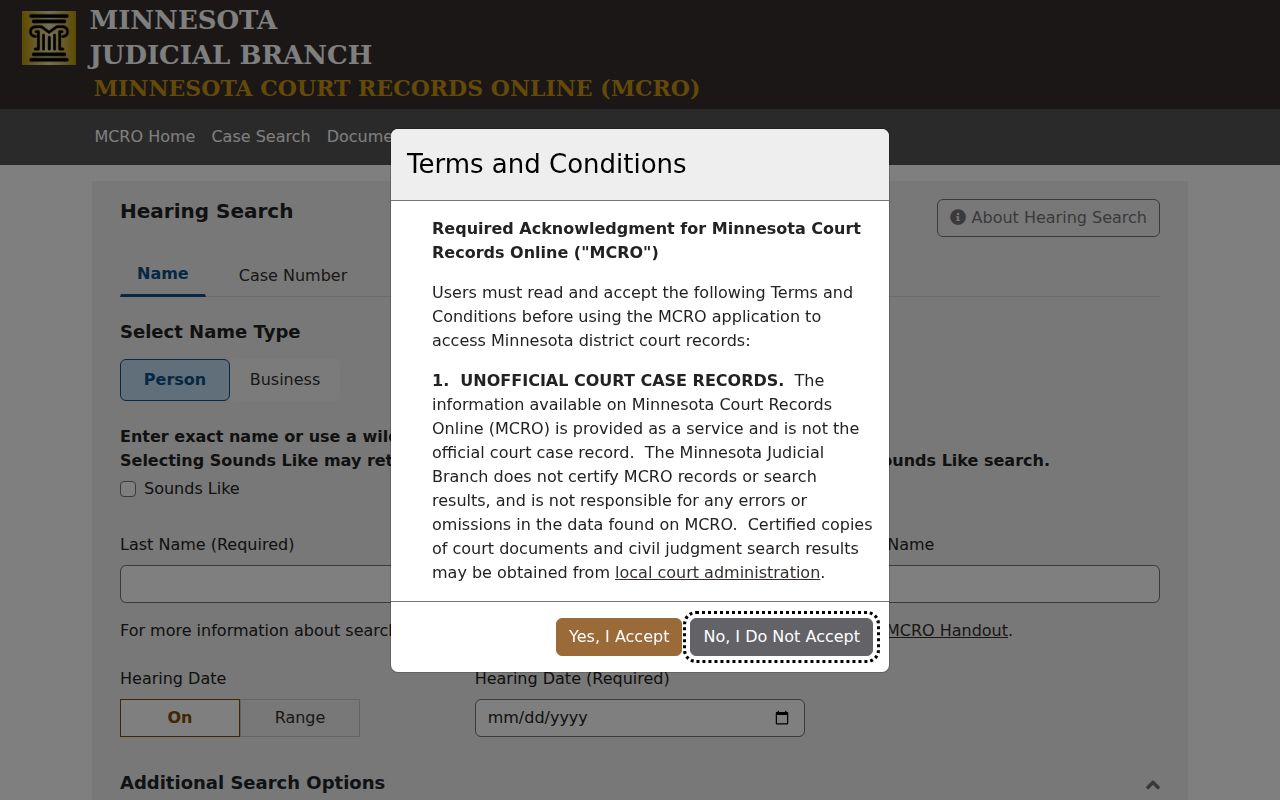
What do you get from a row here? The official guide says each result names the hearing type and date. A link leads to more case details. It makes no promise about the rest. Courtroom, room, time, judge, and stray calendar notes may or may not appear in a given row. One more caution: MCRO can adjust its hearing search controls over time. If a control on the live Minnesota form looks different from an older view, trust the live form.
How to Find a Court Date
Start with the citation or file number. Use the county venue to reach court administration. If the case does not appear online, try a courthouse public access computer or the Minnesota county's administration contact page.
- Search Minnesota MCRO Hearing Search by court file number, name, judicial officer, or attorney. You can also open Minnesota Case Search to locate the Register of Actions, or use Citation Number search for a traffic matter.
- Record the case number and Minnesota county venue from the case details. The venue identifies which county District Court Administration office holds the file.
- Read the newest hearing notice or order in the Minnesota case record. Check the Minnesota county’s current online calendar or printed or posted daily list where one is available. The Minnesota county directory routes to local court administration pages.
- Confirm the time, courtroom, or remote appearance instructions from the Minnesota notice. A Minnesota statewide hearing-search row does not promise that each of those fields will appear.
- If a date changed, a field is missing, or the hearing is soon, call or visit the county court administrator. A courthouse public terminal can provide another official access point.
MCRO finds hearing dates but cannot set or change them. For case-specific action, county administration and the current notice govern.
Four Minnesota Setting Sources
Hearing information in Minnesota comes from four places. Notices, calendar searches, the Register of Actions, and local court administration each tell you something different. The calendar lists hearings; the case register tracks events. The current notice controls how you appear.
| Source | Best Use | Limit |
|---|---|---|
| Minnesota Register of Actions | Review the case event list and open a notice or order when available. | A listed event may have no public image or may omit a party name. |
| Minnesota MCRO Hearing Search | Find permitted District Court hearings statewide and open case details. | The public guide confirms hearing type, date, and a case-details link, not every room or instruction. |
| Minnesota hearing notice | Read the date, appearance method, and directions for the specific case. | A later notice or order may supersede an older one. |
| Minnesota county court administration | Ask about room, check-in, remote connection, or a schedule change. | Contacts and posted daily lists are organized locally. |
Courthouse calendars and courtroom postings help locally. But the Judicial Branch does not promise one public daily-list format across the state.
Reading a Court Setting
A court setting pairs a scheduled event with case details. The statewide hearing search returns a limited result set. The linked Minnesota case register or filed notice may add context. Use this field guide to separate a confirmed result from what still needs a direct check. Go to the court for that.
| Case number | Use the court file number to locate Minnesota case details; the Hearing Search result can link to the register. |
|---|---|
| Hearing date | The Minnesota official guide confirms a court date in Hearing Search results. Use the newest notice for operative details. |
| Setting type | The hearing type identifies the kind of scheduled event shown in the Minnesota result. |
| Judge or judicial officer | The assigned Minnesota judicial officer may appear in case details. Confirm the assigned court if anything is unclear. |
| Time and courtroom | The search guide does not guarantee these fields in every row. Check the Minnesota notice or county court administration. |
| Appearance method | Read the case-specific notice or order for in-person or remote instructions and later changes. |
Hearing records do not show every field on one screen. A missing courtroom or time in a search result is a reason to read the case notice. It is not proof that no details exist. Minnesota Hearing Search confirms the date and type. For room and appearance instructions, the case-specific notice remains the operative source.
Why Minnesota Hearings Stay Upcoming
MCRO can list a hearing under "Upcoming Hearings" on the very day it was set. The entry may persist even after the hearing has been heard or continued. That is a documented interface behavior. It is not proof the court skipped the hearing. It does not replace the event history or a later order.
Open the case details and scan the Case Events list. Look for a hearing-held entry, a continuance, a reset, or a new notice. If the entries still do not explain what happened, contact the county District Court Administrator. That office can give the file's current status. Hearing search is a navigation aid. It does not schedule a proceeding, authorize a change, or show every calendar note. Keep the dated notice or order that controls the appearance. Ask the Minnesota court office about any conflict.
Resets, Continuances, and Cancellations
A Minnesota docket can list a hearing and then a later entry that moves it. Watch the order of those events. A continuance or reset only postpones the hearing; it does not mean the case was dismissed. When the new court date is near, pull the later notice or order and check the county court calendar again.
Event text often stays silent on why the court moved a hearing or what either party must do next. Case status, the outcome of a single charge, and the most recent hearing entry are three different details in Minnesota. Open the document link whenever the docket offers one. Anything still unclear belongs with Minnesota court administration.
- Continuance or reset
- A postponement or rescheduling entry. The newest notice identifies the current court date.
- Notice of Hearing
- A filed or served notice that sets the case for a court date; a later notice or order may replace it.
- Case Events
- The Minnesota Register of Actions event list. It may show a scheduled hearing, notice, reset, hearing held, or order.
- Upcoming Hearings
- A case-details section that may include today’s hearing even after the event occurs.
Minnesota Hearing Format Notices
How a Minnesota hearing is held depends on the case and the hearing type. Judicial Council guidance allows in-person, remote, and case-by-case formats. But the assigned court's order or notice controls how you actually appear. Knowing that remote hearings exist tells you nothing about your own setting. MCRO Hearing Search is not a video-conference invitation either. A result row may carry no connection instructions at all.
Read the newest Minnesota notice before you travel or log on. If it lacks a link, or two documents conflict, ask county court administration which one governs. Anyone filing electronic exhibits has a separate duty. A Supreme Court order governs this. The Minnesota Digital Exhibit System (MNDES) became mandatory on January 1, 2025. The Minnesota Judicial Branch MNDES order notice explains that process. Remember what MNDES is not. It handles exhibit submission, not public access to a live calendar. A judge must still approve any public access to an exhibit.
Note: A Minnesota exhibit workflow does not open evidence to the public. It also never replaces the hearing's latest appearance notice.
What To Do If You Miss a Setting
Missed a Minnesota hearing? Contact the court and pull the case record right away. A docket search result may not say whether the hearing went forward or was continued, so review the latest notice and ask the County District Court Administrator what step was recorded next.
If You Missed a Minnesota Court Hearing: Contact the county District Court Administrator promptly. Ask whether the hearing was held, continued, or has another next step, and follow the newest court notice or order. Do not treat an online calendar result as a substitute for direct confirmation.
When Minnesota Search Misses a Setting
A Minnesota docket search that returns no hearing can mean several things. Start with the basics. Confirm the case number, the county venue, the hearing date range, and the case category. A name search can stumble over an alternate spelling. A missing middle initial can do the same. So can a business name. MCRO also shows no defendant-name results for pending criminal, traffic, or petty-misdemeanor matters without a conviction. That includes some matters continued for dismissal. Searching by court file number, citation number, attorney name, or bar number works around the gap.
Some Minnesota case types and protected names face tighter remote access rules. An older court record may take a courthouse terminal or a call to the county administrator. So may one with no image available. MCRO covers every county statewide. But public rules and the search screen's own fields still shape what appears online. Suppose your hearing notice lists a court date. The calendar search still comes back empty. Verify the county, then ask Minnesota court administration to confirm the current schedule. The Judicial Branch MCRO help page describes the public search options and their access limits.